
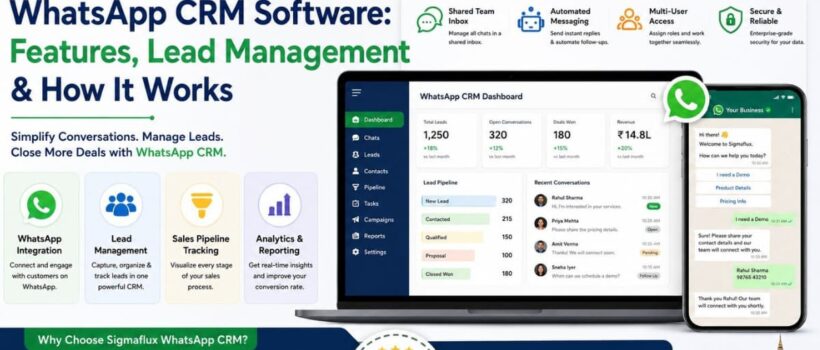

WhatsApp CRM enables you to connect your WhatsApp Business number with a proper customer relationship management system, which means that rather than having conversations stuck in your mobile phone, they become trackable and organized leads. Instead of one individual browsing through one chat list, your team can now have one inbox to manage all conversations together.
This matters most once your WhatsApp enquiries grow past what one device or one person can handle. At that point, the real problem usually isn’t message volume — it’s knowing which chats are hot leads ready to close, which are warm and need nurturing, and which are existing customers who just need support.
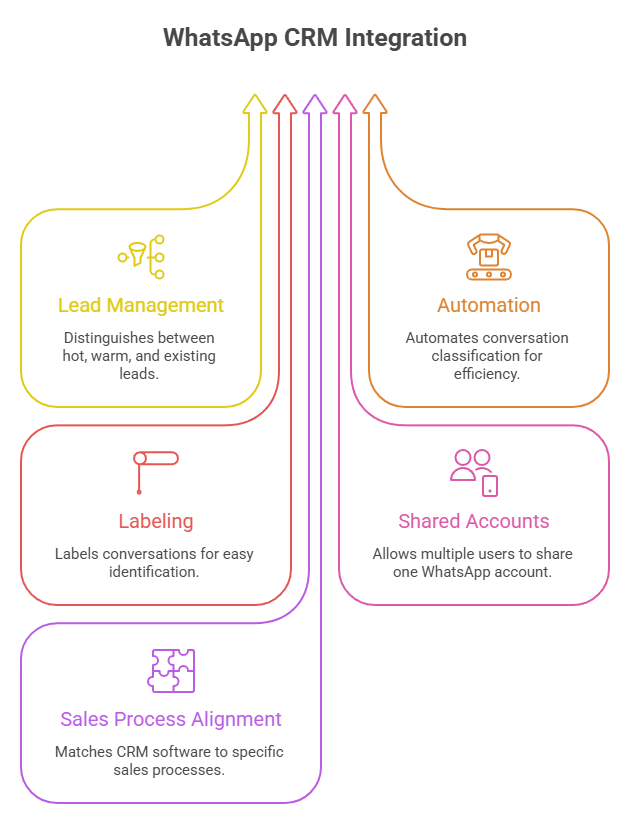
WhatsApp CRM software is the system that resides above the WhatsApp Business account (WhatsApp Business API) and provides all the functionality that a chat app lacks: shared inboxes, lead categorization, automated messages, and reports.
Rather than all inquiries being sent to one uncontrolled chat folder, a WhatsApp CRM system directs the communication to the appropriate user, monitors how far the lead goes through the process, and stores every message associated with the lead.
Not every WhatsApp conversation deserves the same response. A customer asking “Is this in stock? I want to buy today” needs a completely different follow-up than someone who messaged once, three weeks ago, and went quiet.
Without structure, both conversations look identical in a chat list — and the hot lead often gets lost in the noise of everyday messages. Lead management inside a WhatsApp CRM exists specifically to prevent that.
A good WhatsApp CRM will allow you to easily segregate your contacts into one of these three groups to help you understand what action is needed on it.
Hot leads: Individuals who are asking about prices, availability, and who want to purchase something. You must tag them and give them priority to notify the concerned sales representative.
Warm leads: Individuals who have expressed interest in your product but are not yet ready to purchase something from you. It can include individuals who have made an inquiry, downloaded any material, or even who had contacted you but stopped after a while.
Contacts of existing customers who have already bought from you. Conversations with them change from being sales-oriented to service-oriented and need to be segregated separately so that they do not end up in the sales pipeline.
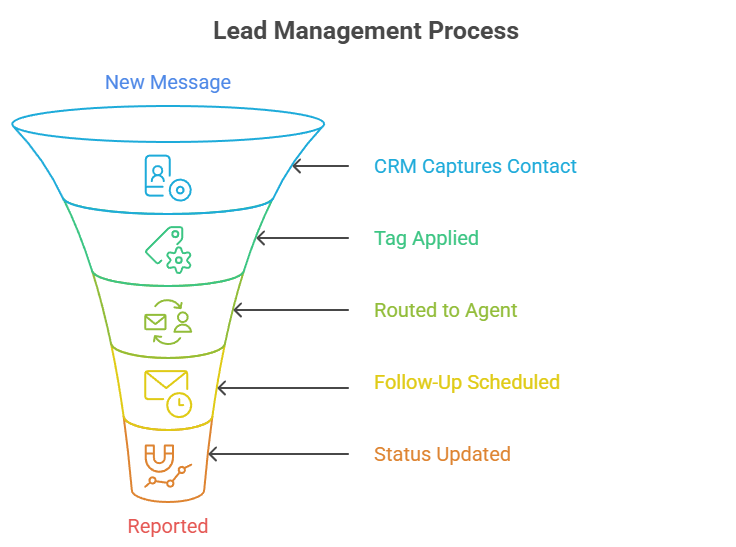
Workflow would normally be like this:
New Message → CRM Captures Contact → Tag Applied (Hot / Warm / Customer) → Routed to Agent or Automation → Follow-Up Scheduled → Status Updated → Reported
What is the difference between WhatsApp CRM and the WhatsApp Business App?
The WhatsApp Business App is a single-device chat tool for small operations. A WhatsApp CRM adds team access, lead tagging, automation, and reporting on top of your WhatsApp number, built for handling higher volumes and organized follow-up.
How does a WhatsApp CRM separate hot and warm leads?
Through tagging and pipeline stages — contacts are labeled based on their engagement and intent, so agents can prioritize ready-to-buy leads over those who need more nurturing.
Can existing customers be managed in the same WhatsApp CRM as new leads?
Yes, but they should be tagged separately from active sales leads so they receive support-focused communication instead of promotional messages meant for new prospects.
Do I need the WhatsApp Business API to use a WhatsApp CRM?
Not always for small teams, but the API is typically required once you need bulk messaging, higher volume, or multiple agents working simultaneously on one number.
Is WhatsApp CRM software suitable for small businesses?
Yes. Even a small team benefits from basic lead tagging and a shared inbox, and most CRMs scale up as the business grows.
WhatsApp CRM software turns an ordinary chat number into a structured sales and support channel — and the real value comes from how well it separates hot leads, warm leads, and existing customers, not just how many features it lists. Getting that segmentation right means faster follow-ups on ready-to-buy leads and fewer missed opportunities in your pipeline.
If you’re setting this up for your business in Mumbai or elsewhere in India, SigmaFlux Agency’s WhatsApp CRM is built around exactly this kind of lead segmentation and local support.